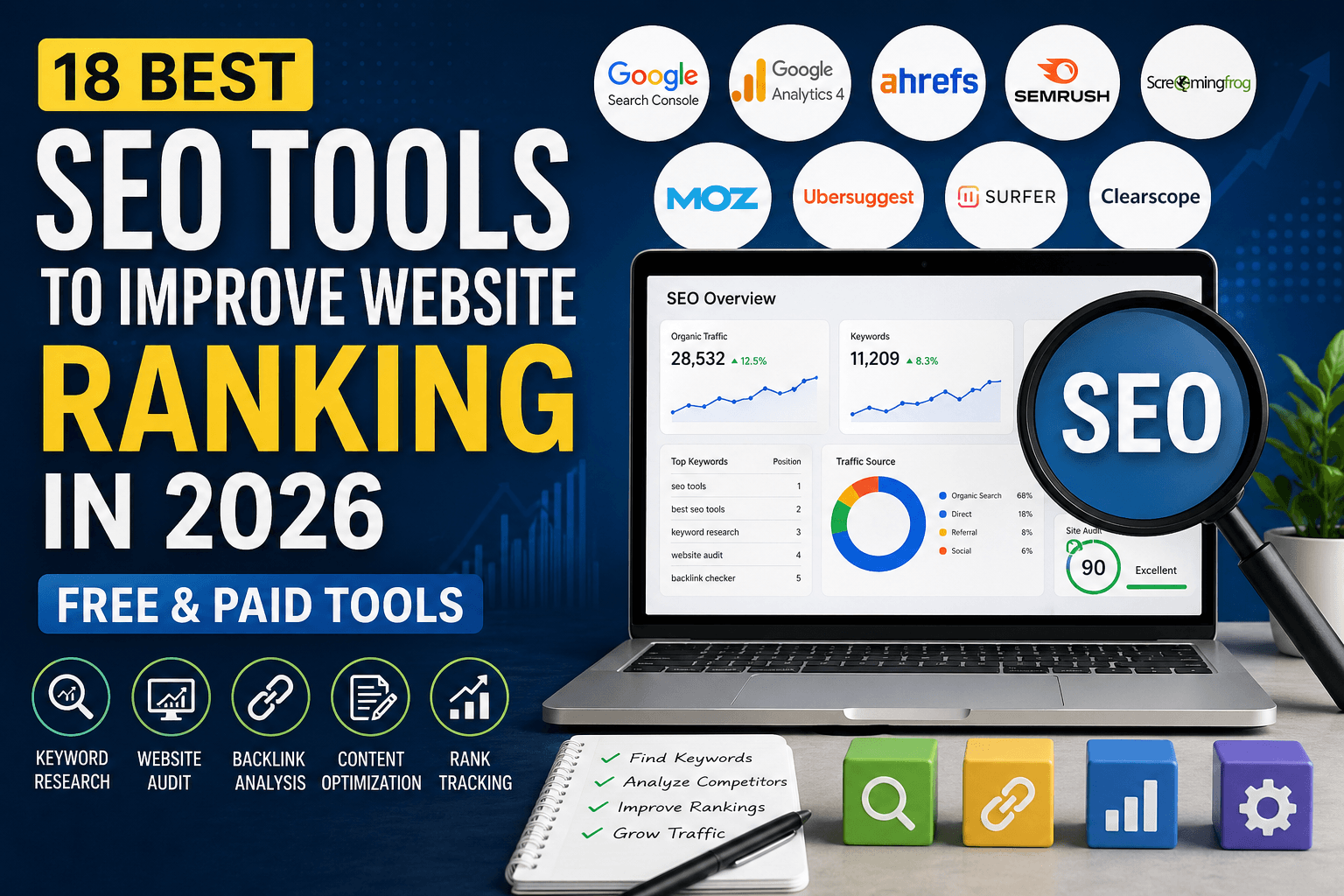
Choosing the right SEO tool can make a big difference in how your website performs on search engines. A good SEO tool helps you find better keywords, fix technical issues, improve content, track rankings, analyze competitors, and understand what your visitors actually do on your website.
In 2026, SEO is not only about adding keywords to a page. Website owners also need to focus on user experience, Core Web Vitals, helpful content, backlinks, search intent, AI search visibility, and conversion tracking. That is why using only one tool is usually not enough.
This guide covers the best SEO tools for keyword research, technical SEO, content optimization, website audits, analytics, WordPress SEO, and AI search tracking. Some tools are free, while others are paid. You can choose the right one based on your website size, budget, and SEO goals.
Why SEO Tools Are Important in 2026
SEO tools save time and help you make better decisions with data. Without SEO tools, it is difficult to know which keywords people search for, which pages are losing traffic, why your site is slow, or why competitors are ranking above you.
The best SEO tools can help you:
- Find keywords with good traffic potential
- Understand search intent
- Track website rankings
- Find broken links and technical errors
- Improve page speed and user experience
- Analyze competitors and backlinks
- Optimize blog posts and landing pages
- Track conversions and user behavior
- Improve visibility in Google, Bing, and AI search results
If you are serious about growing organic traffic, SEO tools are not optional. They are part of a smart digital marketing strategy.
Best Free SEO Tools
1. Google Search Console
Best for: Tracking Google search performance and indexing issues
Google Search Console is one of the most important free SEO tools for every website owner. It helps you understand how your website performs in Google Search. You can see clicks, impressions, average ranking position, search queries, indexing problems, sitemap status, and Core Web Vitals issues.
This tool is especially useful because the data comes directly from Google. You can find which keywords already bring traffic to your website and which pages need improvement.
Useful features:
- Search performance reports
- URL inspection tool
- Sitemap submission
- Indexing issue reports
- Core Web Vitals report
- Mobile usability insights
Who should use it? Every blogger, business owner, SEO professional, and website owner should use Google Search Console.
2. Google Analytics 4
Best for: Website traffic and conversion tracking
Google Analytics 4, also known as GA4, helps you understand how visitors interact with your website. While Google Search Console shows how users find your site in search, GA4 shows what users do after they land on your site.
You can track traffic sources, page views, engagement rate, events, conversions, and user journeys. This helps you understand which pages attract visitors and which pages need better content, design, or calls to action.
Useful features:
- Traffic source tracking
- Engagement reports
- Conversion tracking
- Event tracking
- Audience insights
- Landing page performance
Who should use it? Website owners who want to measure traffic, leads, sales, and content performance.
3. Google PageSpeed Insights
Best for: Website speed and Core Web Vitals
Google PageSpeed Insights helps you test your website speed and user experience. It shows performance data for both mobile and desktop. It also checks important Core Web Vitals metrics such as Largest Contentful Paint, Interaction to Next Paint, and Cumulative Layout Shift.
A slow website can reduce user satisfaction and hurt conversions. PageSpeed Insights gives suggestions to improve loading speed, reduce layout shifts, optimize images, and improve user experience.
Useful features:
- Mobile and desktop speed scores
- Core Web Vitals analysis
- Image optimization suggestions
- JavaScript and CSS improvement tips
- Real user experience data where available
Who should use it? Website owners, developers, bloggers, and SEO professionals who want faster pages and better user experience.
4. Google Trends
Best for: Finding trending topics and seasonal keywords
Google Trends is a free tool that helps you understand keyword popularity over time. It is useful for finding trending topics, comparing keywords, and planning seasonal content.
For example, if you run a tech blog, you can use Google Trends to see whether interest in a topic is increasing or decreasing. This helps you publish content at the right time.
Useful features:
- Keyword trend comparison
- Regional interest data
- Seasonal search trends
- Rising topics and queries
Who should use it? Bloggers, publishers, eCommerce websites, affiliate marketers, and content writers.
5. Bing Webmaster Tools
Best for: Bing SEO and additional search visibility
Many website owners focus only on Google, but Bing can also send valuable traffic. Bing Webmaster Tools helps you monitor your website performance in Bing Search. It includes keyword data, backlink information, crawl reports, SEO recommendations, and indexing tools.
Bing is also important because Microsoft’s search ecosystem is closely connected with AI-powered search experiences. If you want wider search visibility, you should not ignore Bing.
Useful features:
- Bing search performance data
- URL submission
- SEO reports
- Backlink analysis
- Indexing insights
Who should use it? Website owners who want traffic from both Google and Bing.
Best Paid SEO Tools
6. Semrush
Best for: All-in-one SEO and competitor analysis
Semrush is one of the most popular all-in-one SEO tools. It can help with keyword research, competitor analysis, backlink tracking, site audits, rank tracking, PPC research, and content planning.
One of the biggest strengths of Semrush is competitor research. You can enter a competitor’s domain and see their top keywords, best-performing pages, backlink profile, and estimated traffic. This helps you find content gaps and new ranking opportunities.
Useful features:
- Keyword Magic Tool
- Domain overview
- Site audit
- Position tracking
- Backlink analytics
- Content gap research
- Competitor traffic analysis
Who should use it? SEO agencies, businesses, bloggers, affiliate marketers, and serious website owners.
7. Ahrefs
Best for: Backlink analysis and competitor research
Ahrefs is another powerful SEO platform. It is especially known for backlink analysis, keyword research, competitor research, and content exploration.
If your website is not ranking well, Ahrefs can help you understand why. You can check which websites link to your competitors, which pages bring them traffic, and which keywords you should target. It is also useful for finding broken backlinks and link-building opportunities.
Useful features:
- Site Explorer
- Keyword Explorer
- Content Explorer
- Rank Tracker
- Site Audit
- Backlink analysis
- Content gap tool
Who should use it? SEO professionals, link builders, agencies, bloggers, and businesses that depend on organic traffic.
8. Moz Pro
Best for: Beginner-friendly SEO tracking
Moz Pro is a complete SEO software suite that helps with keyword research, rank tracking, site audits, and backlink analysis. It is easier to understand than some advanced SEO platforms, which makes it useful for beginners and small teams.
Moz is also known for SEO metrics such as Domain Authority and Page Authority. These metrics are not official Google ranking factors, but they can help you compare websites and understand link strength.
Useful features:
- Keyword Explorer
- Rank tracking
- Site crawl
- On-page optimization suggestions
- Link research
Who should use it? Beginners, small businesses, and marketing teams that want a simpler SEO platform.
9. Screaming Frog SEO Spider
Best for: Technical SEO audits
Screaming Frog SEO Spider is one of the best tools for technical SEO. It crawls your website like a search engine and helps you find issues that may affect rankings and user experience.
You can use it to find broken links, missing title tags, duplicate meta descriptions, redirect chains, canonical issues, thin pages, large images, and many other technical problems.
Useful features:
- Broken link detection
- Redirect audit
- Duplicate title and meta description checks
- Canonical tag analysis
- XML sitemap generation
- Internal linking analysis
- Integration with Google Analytics, Search Console, and PageSpeed Insights
Who should use it? SEO professionals, developers, agencies, and website owners with medium or large websites.
Best Content Optimization Tools
10. Surfer SEO
Best for: Optimizing content based on SERP data
Surfer SEO helps you create and improve content by analyzing top-ranking pages for your target keyword. It gives suggestions for word count, headings, related terms, content structure, and topical coverage.
This tool is useful when you want to write content that matches search intent and covers the topic in enough depth. However, you should not blindly follow every keyword suggestion. The final content must still sound natural and useful for readers.
Useful features:
- Content editor
- SERP analysis
- Topic suggestions
- Content score
- Keyword recommendations
Who should use it? SEO writers, bloggers, agencies, and content teams.
11. Clearscope
Best for: High-quality content optimization
Clearscope is a content optimization platform that helps writers cover topics more completely. It gives keyword and topic recommendations based on pages that already rank well.
Clearscope is often used by professional content teams because it focuses on content quality, topical relevance, and readability. It is not the cheapest tool, but it can be valuable for businesses that publish content regularly.
Useful features:
- Content grading
- Relevant term suggestions
- Competitor content analysis
- Readability guidance
- Content briefs
Who should use it? Content teams, agencies, SaaS companies, and serious publishers.
12. AnswerThePublic
Best for: Finding questions and content ideas
AnswerThePublic helps you discover questions people ask around a topic. It is useful for finding blog post ideas, FAQ sections, long-tail keywords, and content angles.
For example, if your main topic is “SEO tools,” AnswerThePublic may help you find questions like “Which SEO tool is best for beginners?” or “What are the best free SEO tools?” These questions can become headings, FAQ answers, or separate blog posts.
Useful features:
- Question-based keyword ideas
- Comparison keywords
- Preposition-based search ideas
- Content topic inspiration
Who should use it? Bloggers, content writers, YouTubers, and website owners looking for fresh content ideas.
13. AlsoAsked
Best for: People Also Ask-style research
AlsoAsked helps you find related questions around a keyword. It is useful for building content outlines and FAQ sections that match user intent.
This tool is helpful because modern SEO is not only about one keyword. You need to answer related questions clearly so users and search engines understand your content better.
Useful features:
- Question research
- Topic clustering
- Search intent mapping
- FAQ ideas
Who should use it? SEO writers, bloggers, and content strategists.
Best SEO Tools for Beginners
14. Ubersuggest
Best for: Budget-friendly keyword research
Ubersuggest is a beginner-friendly SEO tool for keyword research, competitor analysis, and basic site audits. It is useful for bloggers and small business owners who want SEO data without paying for expensive enterprise tools.
You can use it to find keyword ideas, search volume, SEO difficulty, content ideas, and competitor keywords.
Useful features:
- Keyword suggestions
- SEO difficulty score
- Competitor keyword research
- Basic site audit
- Content ideas
Who should use it? Beginners, bloggers, freelancers, and small businesses.
15. Rank Math
Best for: WordPress SEO optimization
Rank Math is a popular WordPress SEO plugin that helps you optimize posts, pages, categories, schema markup, titles, meta descriptions, sitemaps, and indexing settings.
It is useful because it gives SEO suggestions directly inside WordPress. This makes it easier for beginners to optimize content before publishing.
Useful features:
- On-page SEO analysis
- Meta title and description settings
- XML sitemaps
- Schema markup
- Redirection manager
- Google Search Console integration
Who should use it? WordPress bloggers, affiliate websites, small businesses, and content publishers.
16. Yoast SEO
Best for: Simple WordPress SEO guidance
Yoast SEO is one of the most widely used WordPress SEO plugins. It helps you optimize content, meta titles, meta descriptions, XML sitemaps, breadcrumbs, schema, and readability.
Yoast is a good option for website owners who want simple SEO guidance while writing blog posts and pages.
Useful features:
- SEO analysis
- Readability analysis
- Meta title and description editing
- XML sitemaps
- Schema support
- Internal linking suggestions in premium version
Who should use it? WordPress beginners, bloggers, small businesses, and content writers.
Best SEO Reporting and User Behavior Tools
17. Looker Studio
Best for: SEO reporting dashboards
Looker Studio helps you create visual dashboards using data from Google Search Console, Google Analytics, Google Ads, and other platforms. It is useful for tracking SEO performance in one place.
Instead of checking many tools separately, you can create a dashboard that shows organic traffic, clicks, impressions, keyword performance, landing pages, conversions, and other important SEO metrics.
Useful features:
- Custom SEO dashboards
- Google Search Console reports
- GA4 reporting
- Automated visual reports
- Client reporting
Who should use it? SEO agencies, freelancers, marketers, and business owners who need clear reports.
18. Microsoft Clarity
Best for: Heatmaps and user behavior analysis
Microsoft Clarity is a free behavior analytics tool. It helps you see how visitors interact with your website through heatmaps and session recordings.
This is useful because SEO traffic alone is not enough. If users land on your website but do not click, scroll, read, or convert, you need to improve the user experience. Clarity can help you find confusing sections, weak calls to action, and design problems.
Useful features:
- Heatmaps
- Session recordings
- Click tracking
- Scroll tracking
- User behavior insights
Who should use it? Bloggers, business websites, landing pages, eCommerce stores, and conversion-focused websites.
Bonus: AI Search Visibility Tools
Search is changing because users now find information through Google AI Overviews, ChatGPT, Perplexity, Gemini, Bing Copilot, and other AI-powered answer engines. This means brands should also think about how they appear in AI-generated answers.
AI search visibility tools are still a newer category, but they can help track whether your brand, website, or content appears in AI answers. These tools may become more important as AI search grows.
Examples of AI search visibility tools include:
- Profound
- Peec AI
- Otterly.AI
- ProductRank.ai
Before choosing any AI visibility tool, check its latest pricing, supported platforms, and reporting features because this category is changing quickly.
How to Choose the Best SEO Tool for Your Website
The best SEO tool depends on your goal. You do not need every tool on this list. Start with the tools that solve your biggest problem.
If you are a beginner
Start with Google Search Console, Google Analytics 4, Google PageSpeed Insights, Google Trends, and Rank Math or Yoast SEO. These tools are enough to understand the basics and improve your website step by step.
If you need keyword research
Use Semrush, Ahrefs, Ubersuggest, Google Trends, AnswerThePublic, and AlsoAsked. These tools help you find keywords, questions, and topics your audience is searching for.
If you need technical SEO
Use Screaming Frog SEO Spider, Google Search Console, Bing Webmaster Tools, and PageSpeed Insights. These tools help you find crawling, indexing, speed, and technical issues.
If you need content optimization
Use Surfer SEO, Clearscope, AnswerThePublic, and AlsoAsked. These tools help you create useful, complete, and search-intent-focused content.
If you need competitor analysis
Use Semrush or Ahrefs. Both tools are strong for competitor keywords, backlinks, top pages, and content gap analysis.
If you need SEO reporting
Use Looker Studio with Google Search Console and GA4. This setup gives you a simple way to track SEO growth over time.
Free vs Paid SEO Tools: Which One Should You Use?
Free SEO tools are enough for many small websites. Google Search Console, GA4, PageSpeed Insights, Google Trends, Bing Webmaster Tools, and Microsoft Clarity can give you a strong SEO foundation without any cost.
Paid SEO tools become useful when you need deeper keyword data, competitor research, backlink analysis, rank tracking, content optimization, or large technical audits.
If your website is new, start with free tools. Once your website starts growing, invest in one paid tool based on your main goal. For example, choose Ahrefs for backlinks, Semrush for all-in-one SEO, Screaming Frog for technical audits, or Surfer SEO for content optimization.
Final Thoughts
The best SEO tools help you make smarter decisions. They show what is working, what is broken, and where new opportunities exist.
If you are just starting, use free tools like Google Search Console, GA4, PageSpeed Insights, Google Trends, Bing Webmaster Tools, and Microsoft Clarity. If you want advanced SEO growth, add tools like Semrush, Ahrefs, Screaming Frog, Surfer SEO, Clearscope, Rank Math, or Yoast SEO.
Remember, tools do not rank a website by themselves. They only give you data and direction. Real SEO growth comes from publishing helpful content, improving user experience, fixing technical issues, building authority, and updating your strategy regularly.
Choose the tools that match your website goals, use them consistently, and keep improving your content over time.
Frequently Asked Questions
What is the best SEO tool for beginners?
Google Search Console is the best free SEO tool for beginners. It shows how your website performs in Google Search and helps you find indexing, ranking, and performance issues.
What is the best paid SEO tool?
Semrush and Ahrefs are two of the best paid SEO tools. Semrush is better for all-in-one SEO and competitor research, while Ahrefs is very strong for backlink analysis and keyword research.
Which SEO tools are free?
Some of the best free SEO tools are Google Search Console, Google Analytics 4, Google PageSpeed Insights, Google Trends, Bing Webmaster Tools, Microsoft Clarity, and the free versions of Rank Math and Yoast SEO.
Do I need more than one SEO tool?
Yes, most websites need more than one SEO tool. For example, you can use Google Search Console for search performance, GA4 for traffic tracking, PageSpeed Insights for speed, and Rank Math or Yoast for WordPress SEO.
Are SEO tools enough to rank on Google?
No. SEO tools only provide data and suggestions. To rank higher, you still need helpful content, good website structure, fast loading pages, strong internal links, quality backlinks, and regular updates.
What is the best SEO tool for WordPress?
Rank Math and Yoast SEO are two of the best SEO plugins for WordPress. Both help with meta titles, descriptions, XML sitemaps, schema, and on-page SEO.
What is the best tool for technical SEO?
Screaming Frog SEO Spider is one of the best tools for technical SEO audits. It helps find broken links, duplicate metadata, redirect issues, canonical problems, and crawl errors.
What is the best SEO tool for content optimization?
Surfer SEO and Clearscope are strong content optimization tools. They help improve topical coverage, content structure, and keyword relevance.